
Sii Sweden
SII POLAND
SII UKRAINE
Sii Sweden


SII POLAND


SII UKRAINE


As a strategic Microsoft partner, we help you leverage AI to save time, boost productivity, and enhance job satisfaction in your business.
Discover how Sii Poland and Microsoft 365 Copilot can revolutionize your daily processes
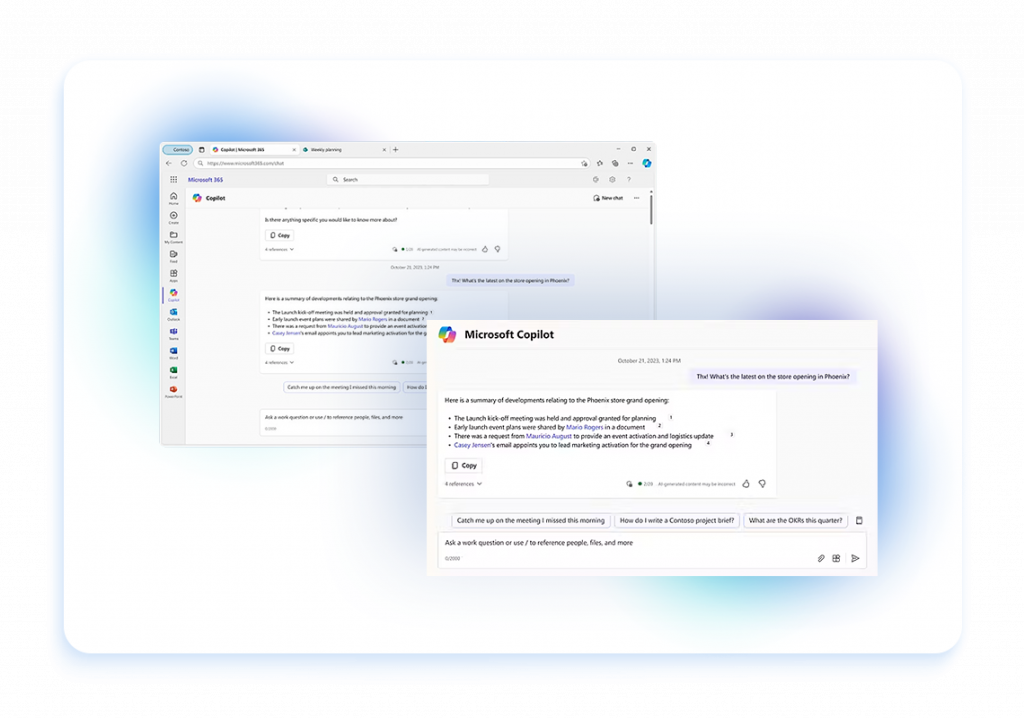
With Microsoft Copilot, our AI consultants help you automate repetitive tasks such as drafting emails, creating forms, and generating reports. By leveraging Copilot capabilities, you can enhance efficiency with Microsoft tools and seamlessly interact with data to answer questions in real-time.
Microsoft 365 Copilot enhances team collaboration by allowing seamless information sharing and easy integration across 365 apps. We tailor solutions to manage permissions and optimize your workflow. With Copilot, automating processes like onboarding becomes effortless, helping your organization unlock the full potential of Microsoft Copilot.
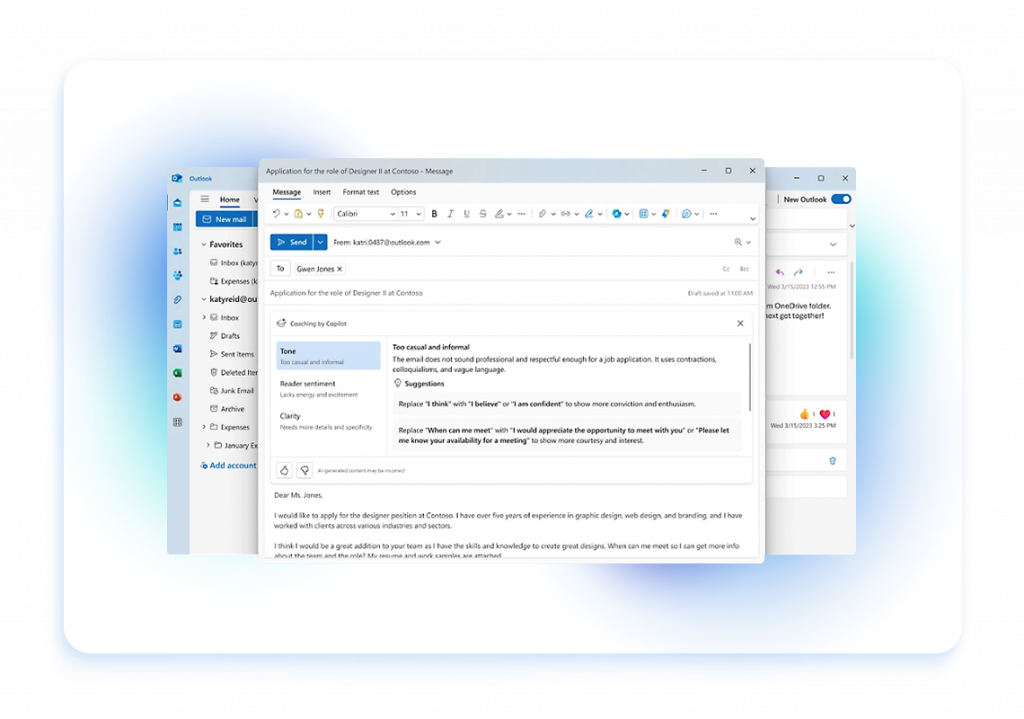

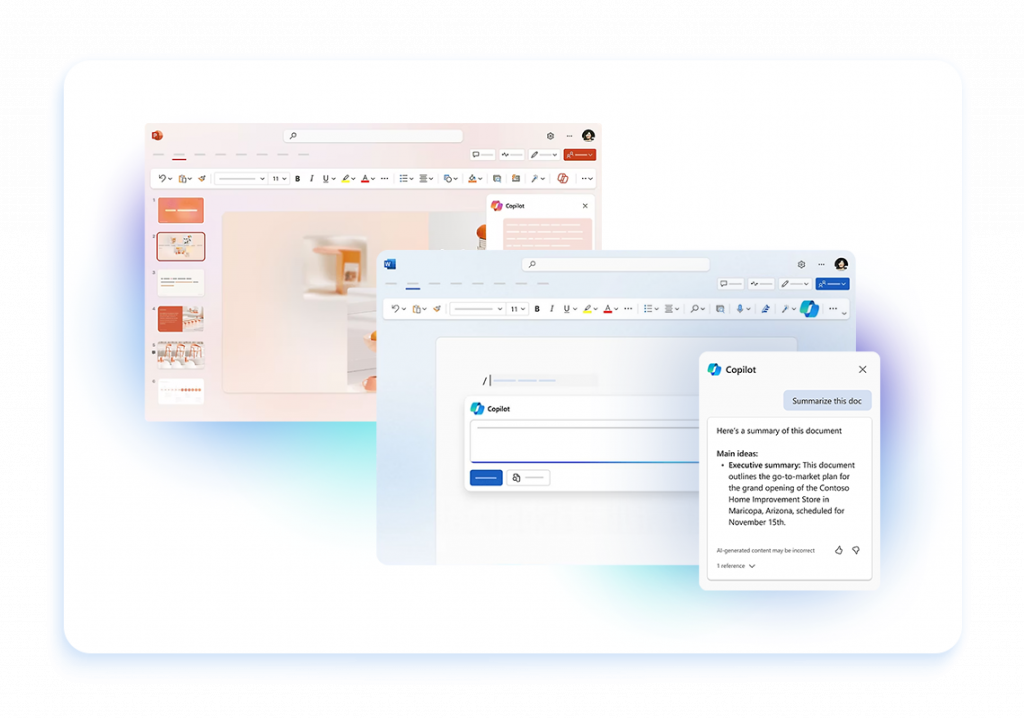
With Microsoft Copilot capabilities, you can save time and boost productivity by automating document creation, such as reports, PowerPoint presentations, and project plans. Copilot for Microsoft 365 can also be a virtual assistant that summarizes documents and meetings and assigns tasks, enabling your team to focus on impactful work.
Together with Copilot’s AI capabilities, we show you how to generate innovative ideas and solve complex problems. Analyze sales data to identify trends, optimize strategies, and drive business transformation. Our Copilot implementation seamlessly integrates with CRM and ERP systems, empowering your organization to achieve its business goals.
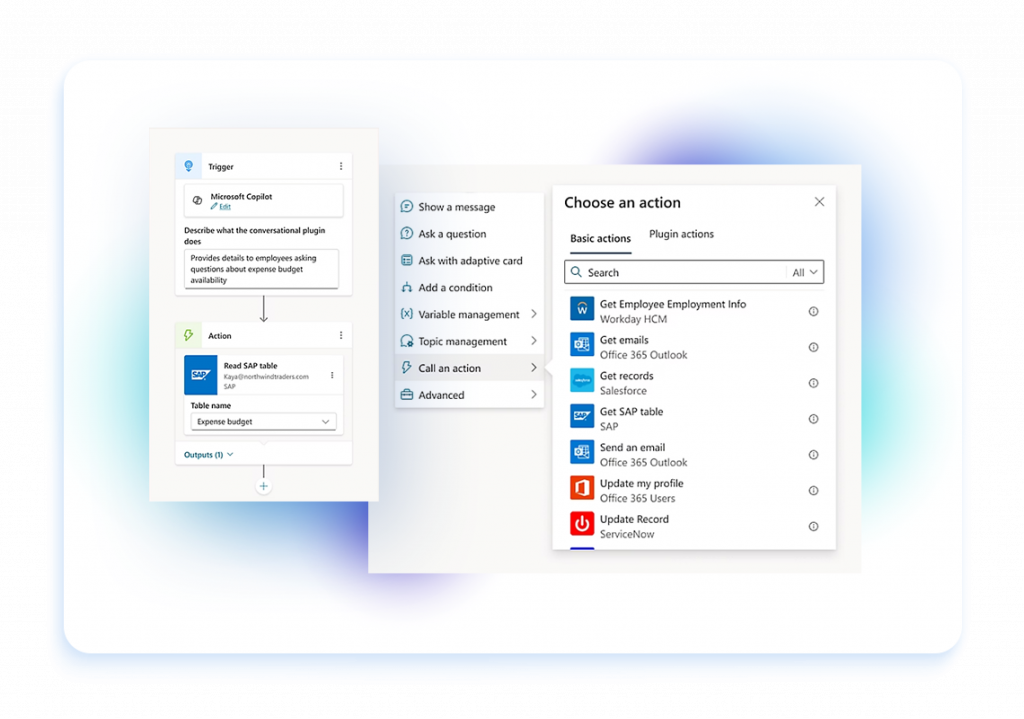
Automate critical business processes with Microsoft 365 Copilot. From approving requests to processing orders and managing projects, Copilot helps streamline operations by automating tasks like retrieving invoices from your inbox and assigning them to relevant staff, ensuring compliance with privacy and security standards.
As a trusted AI partner with eight Microsoft Solutions Partner designations, we provide comprehensive Microsoft Copilot consulting services. Our industry expertise ensures that your Copilot implementation drives AI transformation and maximizes productivity.
Leverage our advisory to maximize the value of your Microsoft licenses. We provide unbeatable prices, exclusive promotions, and Microsoft Copilot tools ensuring your Copilot usage aligns with your organization's needs.
Our end-to-end Microsoft 365 Copilot implementation services cover every deployment stage, from Copilot readiness assessments to creating an implementation plan tailored to your organization’s requirements. We help you navigate the rollout plan, optimize Copilot’s capabilities, and ensure seamless integration with your existing systems.



See how we do it step by step





Read out FAQ
Microsoft Copilot is an AI-powered assistant integrated into Microsoft 365 applications like Word, Excel, PowerPoint, and more. It leverages advanced generative AI to help users create, edit, and analyze content more efficiently. Whether drafting documents, generating reports, or creating presentations, Copilot assists by suggesting text, summarizing data, automating repetitive tasks, and providing real-time insights. Designed to enhance productivity, Microsoft Copilot works alongside you, making it easier to accomplish tasks and optimize your workflow.
Implementing Microsoft Copilot in your business offers several key benefits. It enhances productivity by automating routine tasks like drafting documents and analyzing data, allowing your team to focus on higher-value work. Copilot provides real-time insights and suggestions, helping users make informed decisions quickly. It also improves accuracy and consistency across documents and presentations by offering AI-driven content generation and editing support. Additionally, Copilot fosters collaboration by making it easier to create and share content across teams. Overall, Microsoft Copilot streamlines workflows, reduces manual effort, and boosts overall efficiency in your business operations.
Microsoft Copilot seamlessly integrates with Microsoft 365 applications like Word, Excel, PowerPoint, Outlook, and Teams. It appears directly within the user interface of these apps, providing AI-powered assistance as you work. For example, in Word, Copilot can help draft and edit documents, while in Excel, it can analyze data and generate insights. In PowerPoint, Copilot assists with creating presentations, and in Outlook, it helps manage emails and schedules. This integration allows you to access Copilot’s features without leaving the Microsoft 365 environment, making it easy to enhance your productivity and streamline your workflow across the entire suite of tools.
Microsoft Copilot integrates with the Power Platform by enhancing the capabilities of tools like Power Automate, Power Apps, and Power BI with AI-driven insights and automation. In Power Automate, Copilot can help create and optimize workflows by suggesting automations based on your business processes. In Power Apps, it assists in building applications by generating code snippets and offering design recommendations. For Power BI, Copilot can analyze data and generate visualizations, making it easier to create insightful reports. This integration allows users to harness AI within the Power Platform, enabling more efficient app development, data analysis, and process automation.
Microsoft Copilot integrates with Microsoft Dynamics 365 by embedding AI-powered assistance directly into the Dynamics 365 applications you use for customer relationship management (CRM) and enterprise resource planning (ERP). In Dynamics 365 Sales, Copilot helps sales teams by generating contextual emails, summarizing meetings, and providing real-time insights on customer interactions. In Dynamics 365 Customer Service, it assists support agents by suggesting responses, automating ticket resolution, and analyzing customer sentiment. For Dynamics 365 Finance, Copilot can automate financial reporting and highlight key trends. This integration enhances decision-making, improves customer interactions, and streamlines operations within Dynamics 365, enabling you to maximize the value of your business data.
We invite you to experience how Copilot can enhance productivity and streamline your workflows firsthand. Our team offers personalized demos tailored to your business needs, showing you how Copilot integrates with Microsoft 365, Power Platform, and Dynamics 365. To learn more and see Copilot in action, contact us to schedule a demo and explore how this AI-powered tool can transform your business.
Wir aktualisieren unsere deutsche Website. Wenn Sie die Sprache wechseln, wird Ihnen die vorherige Version angezeigt.
Are you sure you want to leave this page?
Är du säker på att du vill lämna sidan?


